Above the Fold on Mobile: What Actually Fits

Detailed Explanation
On the web, "above the fold" has simply mutated to mean the all-important viewport area by which users judge your site's value. On desktop, this place generally is about 1024x768 pixels and a whole lot larger on mobile, so you have to go responsive.
Those elements that appear above the fold are to your site what the "elevator pitch" is to your business; you have a few seconds to grab your guest's interest and show them the value proposition they're going to get by sticking around longer. Research shows that people spend 80% of their time above the fold ( Nielsen Norman Group eye-tracking research), so this area of their screen is more valuable than Manhattan real estate.
Where Does It Come From?
Why Above the Fold Matters
The Role of First Impressions
A study by Google and Missouri University of Science and Technology found that the first impression of your page is made in less than a blink of an eye, just 50 milliseconds. The above-the-fold content is your make-or-break moment.
Impact on Conversions
Based on an analysis of more than 40,000 landing pages, According to HubSpot found that landing pages with key CTAs above the fold received 30% higher conversion rates than those that required scrolling to find CTAs.
Key Statistics
- 80% of viewing time happens above the fold
- 50ms to form first impression - faster than an eye blink
- 30% higher conversions with optimized above-the-fold content
- 70% of mobile users never scroll back up after swiping past the fold
- 53% of mobile visitors abandon sites that take longer than 3 seconds to load
Above The Fold Dimensions
Device-Specific Dimensions
- Standard: 1920x1080 pixels (with ~600-800px visible height)
- Most Common: 1366x768 pixels (design target resolution)
- Portrait: 768x1024 pixels
- Landscape: 1024x768 pixels
- iPhone 8: 375x667 pixels
- iPhone 11 Pro: 414x896 pixels
- Mobile Landscape: 667x375px to 896x414px
Mobile-First Reality
- 58.99% of global web traffic comes from mobile devices
- 70% of mobile users never scroll below the fold
- 53% abandon sites due to slow above-the-fold loading
Above the Fold Dimensions & Critical Performance Metrics
| Device Type | Resolution | Visible Height | Traffic Share | Scroll Behavior | Priority Level |
|---|---|---|---|---|---|
| Desktop Standard | 1920x1080px | 600-800px | 41% | 80% time above fold | High |
| Desktop Target | 1366x768px | ~550px | Most Common | Primary design target | High |
| Tablet Portrait | 768x1024px | ~900px | ~5% | Moderate scrolling | Medium |
| Tablet Landscape | 1024x768px | ~650px | ~5% | Similar to desktop | Medium |
| Mobile (iPhone 8) | 375x667px | ~550px | 59% | 70% never scroll back | High |
| Mobile (iPhone 11 Pro) | 414x896px | ~780px | 59% | 70% never scroll back | High |
| Mobile Landscape | 667x375px | ~260px | Limited use | Minimal vertical space | Low |
Real Examples and Use Cases
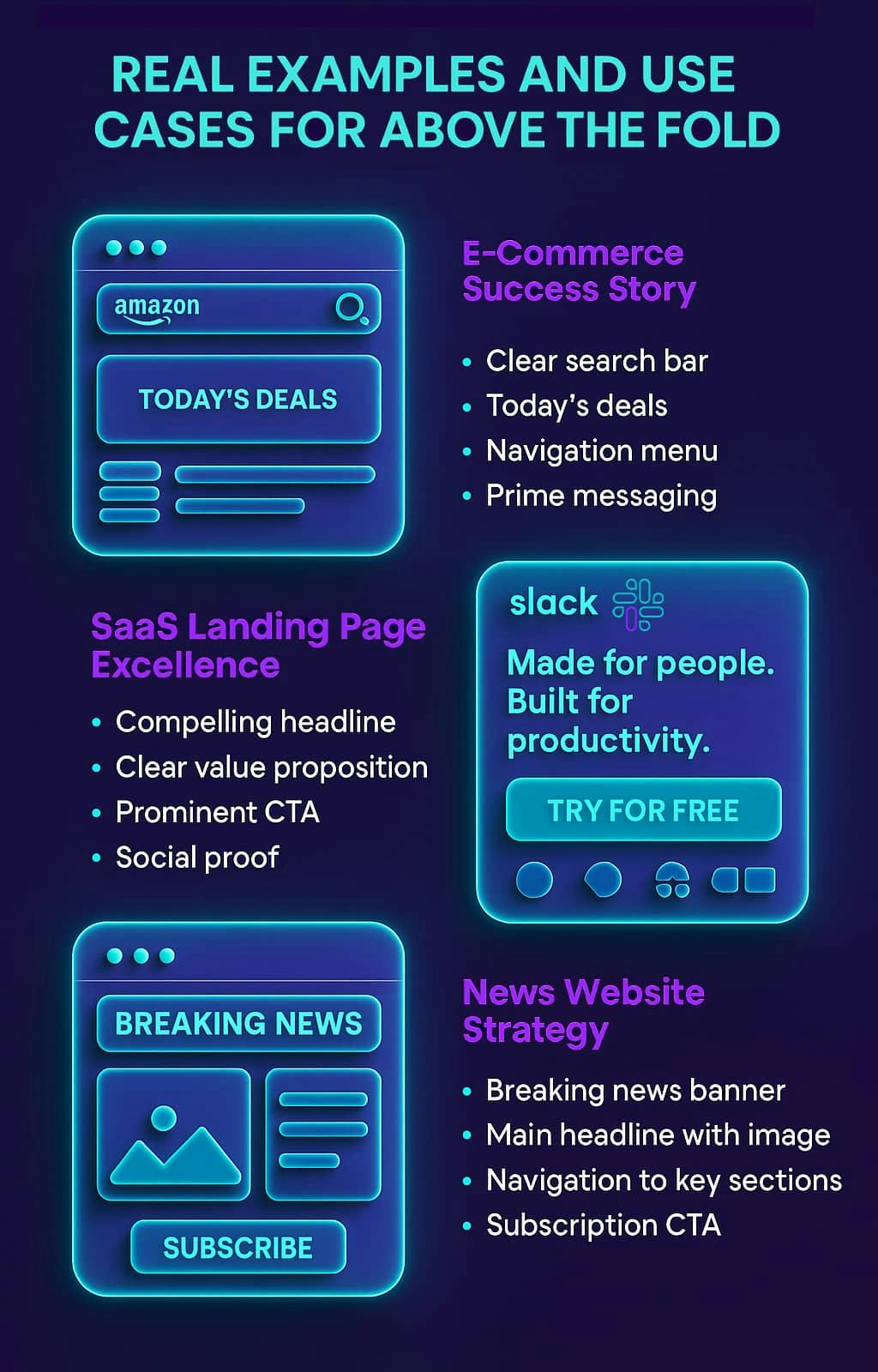
E-commerce Success: Amazon
Amazon's above-the-fold strategy includes:
- Clear search bar (primary user intent)
- Today's deals (urgency and value)
- Navigation menu (easy product discovery)
- Prime messaging (membership highlight)
This approach keeps users engaged immediately and guides them toward conversion actions.
SaaS Success: Slack
Slack's trial strategy focuses on:
- Compelling headline: "Made for people. Built for productivity."
- Clear value proposition in 8 words
- Prominent CTA button: "TRY FOR FREE"
- Social proof with customer logos
News Website Approach : The New York Times
The New York Times demonstrates editorial above-the-fold best practices:
- Breaking news banner (urgency)
- Main headline with compelling image
- Navigation to key sections
- Subscription CTA (revenue focus)
As conversion optimization expert Peep Laja notes: "Your above-the-fold area is like a movie trailer – it needs to convince people the full experience is worth their time."
Related Terms
- Viewport: The part of a webpage that can be seen on a user's screen
- Landing Page: A webpage created specifically for a marketing campaign
- Conversion Rate Optimization (CRO): The process of refining site elements to increase desired actions
- Call-to-Action (CTA): Button or link designed to prompt immediate user response
- Bounce Rate: The percentage of visitors who view only one page
- Fold Line: The cut-off point where content becomes hidden without scrolling
- Hero Section: The prominent banner area usually at the top of a site
- User Experience (UX): The overall experience a user has while using a website
Frequently Asked Questions (FAQs)
What size is above the fold?
The above-the-fold dimensions depend on device type:
- Desktop: Typically 1920x1080 pixels (with ~600-800px visible height)
- Tablet: 768x1024 pixels (portrait) or 1024x768 pixels (landscape)
- Mobile: 375x667 pixels (iPhone) to 414x896 pixels (larger phones)
Pro tip: Design for 1366x768 display resolution as it's the most popular desktop-specific display resolution based on StatCounter.
Does everything crucial need to be above the fold?
Not necessarily! While important elements should be above the fold, users do scroll, especially on mobile. Focus on:
- Primary value proposition
- Main navigation
- Most important CTA
- Social proof (logos, testimonials)
How to test above the fold content?
Use these methods:
- Browser dev tools to simulate various screen sizes
- Heatmap tools like Hotjar or Crazy Egg to measure user attention
- A/B testing tools for different above-the-fold designs
- Analytics for bounce rates and time on page
Is above the fold important for SEO?
Indirectly, yes! User engagement metrics influenced by above-the-fold content form part of Google's Page Experience signals:
- Core Web Vitals (loading speed, interactivity, visual stability)
- User behavior signals (bounce rate, dwell time)
- Mobile-first indexing readiness
What's the biggest above the fold mistake?
Having too much content crammed in. As user experience researcher Steve Krug memorably put it: "Don't make me think!" You want to create hierarchy and have ONE single major focus above-the-fold.
Best Practices for Above the Fold Optimization
1. Prioritize Message Hierarchy
The 5-Second Rule: Users should understand your value proposition within 5 seconds of landing.
- Main headline: What you do (specific and benefit-driven)
- Secondary text: How you do it (brief explanation)
- CTA: What users need to do next (action prompt)
2. Mobile-First Design Approach
With 58.99% of global web traffic from mobile devices ( Statista, 2024):
- Thumb-friendly navigation (44px minimum touch targets)
- Scannable text (short paragraphs, bullet points)
- Quick load times (under 3 seconds target)
3. Strategic CTA Placement
Your main call-to-action should be:
- Visible on all devices without scrolling
- Contrasting color from your design
- Action-oriented text ("Get Started," not "Learn More")
- Positioned logically for user eye-path
4. Trust Signal Integration
Add credibility above the fold:
- Customer logos (social proof)
- Security badges (trust and safety)
- Review scores (4.5/5★ from third-party sources)
- Contact details (accessibility and legitimacy)
5. Performance Optimization
Above-the-fold content should load blazingly fast:
- Optimize images (WebP format, proper sizing)
- Minimize HTTP requests (combine CSS/JS files)
- Use critical CSS (inline above-the-fold styles)
- Implement lazy loading for below-the-fold content
6. A/B Testing Strategy
Continuously test above-the-fold elements:
- Headlines (benefit vs. feature-oriented)
- CTA button colors (contrasting vs. brand colors)
- Layout variations (centered vs. left-aligned)
- Image types (faces vs. products vs. illustrations)
Above the Fold Optimization Checklist: 6 Essential Best Practices
| Practice Category | Key Elements | Target Metric | Implementation | Impact Level |
|---|---|---|---|---|
| Message Hierarchy | 5-Second Rule clarity | Understand in <5s | Headline + subtext + CTA | High |
| Mobile-First Design | Responsive layout | 44px touch targets | Mobile-first CSS approach | High |
| Strategic CTA | Primary action button | Visible without scroll | Contrasting color placement | High |
| Trust Signals | Social proof elements | Credibility markers | Logos, badges, reviews | Medium |
| Performance Speed | Fast loading time | <2.5 seconds load | Image optimization, CSS | High |
| A/B Testing | Continuous improvement | 19% avg increase | Test headlines, CTAs, layouts | Medium |
Data-Driven Insights
Industry Statistics:
- 70% of users never scroll below the fold on mobile devices
- Above-the-fold loading speed impacts 53% of mobile site abandonment ( Think with Google)
- Websites with clear value propositions above the fold see 2.3x higher conversion rates ( Unbounce, 2023)
Source : Think with Google
Performance Benchmarks
Target Metrics
- Loading Time: Under 2.5 seconds for above-the-fold content
- CTA Accessibility: Visible within 2 clicks maximum
- Font Size: 16px minimum for mobile readability
- Touch Targets: 44px minimum size for mobile usability
Industry Results
- 19% average conversion increase with optimization
- 2.3x higher performance for clear value propositions
- 80% of companies see improvement with testing
Testing Tools & Approaches
Heatmap & Analytics
- Hotjar - User interaction tracking
- Crazy Egg - Click heatmaps
- Google Analytics - Traffic analysis
A/B Testing Platforms
- Optimizely - Advanced testing features
- VWO - Visual editor interface
- Google Optimize - Free testing option
Performance Testing
- PageSpeed Insights - Load time analysis
- GTmetrix - Performance metrics
- Browser DevTools - Live testing capabilities
Above the Fold Testing Tools: Complete Comparison & Expected Results
| Tool Category | Tool Name | Primary Function | Best For | Cost Level | Skill Required |
|---|---|---|---|---|---|
| Heatmap Analytics | Hotjar | User behavior tracking | Understanding clicks & scrolls | Paid | Beginner |
| Heatmap Analytics | Crazy Egg | Click heatmaps | Visual attention analysis | Paid | Beginner |
| Web Analytics | Google Analytics | Traffic & behavior data | Bounce rate & time tracking | Free | Intermediate |
| A/B Testing | Optimizely | Advanced experiment platform | Enterprise-level testing | Premium | Advanced |
| A/B Testing | VWO | Visual editor interface | Mid-size business testing | Paid | Intermediate |
| A/B Testing | Google Optimize | Free testing solution | Small business & startups | Free | Intermediate |
| Performance | PageSpeed Insights | Load time analysis | Core Web Vitals check | Free | Beginner |
| Performance | GTmetrix | Performance metrics | Detailed speed reports | Free | Beginner |
| Performance | Browser DevTools | Real-time testing | Quick device simulation | Free | Intermediate |
Advanced Above the Fold Tactics
Progressive Disclosure
Don't overwhelm users with information. Use a pyramid approach:
- Hook (compelling headline)
- Highlight (key benefits)
- Hint (what's below the fold)
Directional Cues
Guide user attention strategically:
- Arrows pointing to CTAs
- People looking toward critical elements
- Whitespace creating visual flow
Emotional Triggers
Connect with users psychologically:
- Urgency ("Limited time offer", "Offer ends soon," "20 spots left")
- Exclusivity ("Members only")
- Social proof ("Join 50,000+ users")
Remember, as digital marketing pioneer David Ogilvy once observed: "On the average, five times as many people read the headline as read the body copy." In the digital age, your above-the-fold content IS your headline.
Conclusion
Above-the-fold optimization isn't about cramming everything important at the top of your page; it's about creating a compelling first impression that encourages users toward your desired action. Whether you're running an ecommerce store, SaaS platform, or content website, your above-the-fold area represents your most valuable digital real estate.
Start by auditing your current above-the-fold content: Does it clearly communicate value? Is your CTA visible and compelling? Can users understand what you do within seconds? If not, it's time to optimize this prime digital real estate and start making those crucial first impressions count.
Want to dive deeper into conversion optimization? Explore our related terms on Landing Page Optimization, Conversion Rate, and User Experience (UX) to build your marketing expertise.
Sources:
- Scrolling Behavior and Attention Span
- Why Users Prefer Simple and Familiar Designs
- What Does Above the Fold Mean in Marketing?
- How to Build a CRO Process – Peep Laja
- Global Desktop Screen Resolution Statistics
- Don’t Make Me Think by Steve Krug
- Mobile Devices' Share of Web Traffic
- Mobile Page Speed Benchmarks (Google Report PDF)
- Designing Effective Above-the-Fold Landing Pages
- Think with Google: Mobile Page Speed Benchmark
- Ogilvy on Advertising by David Ogilvy
